
Turn recorded activity into a clearer business picture
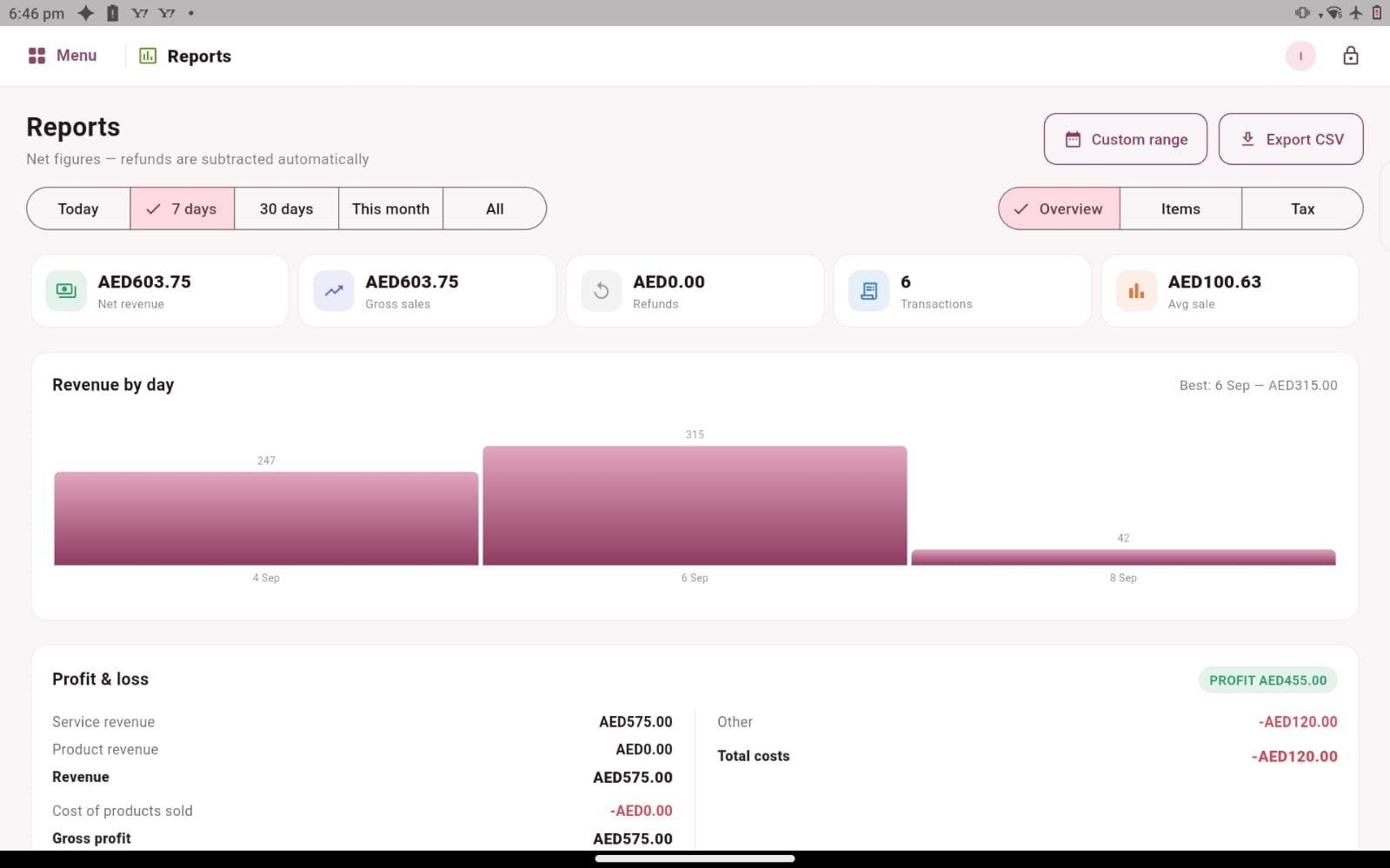
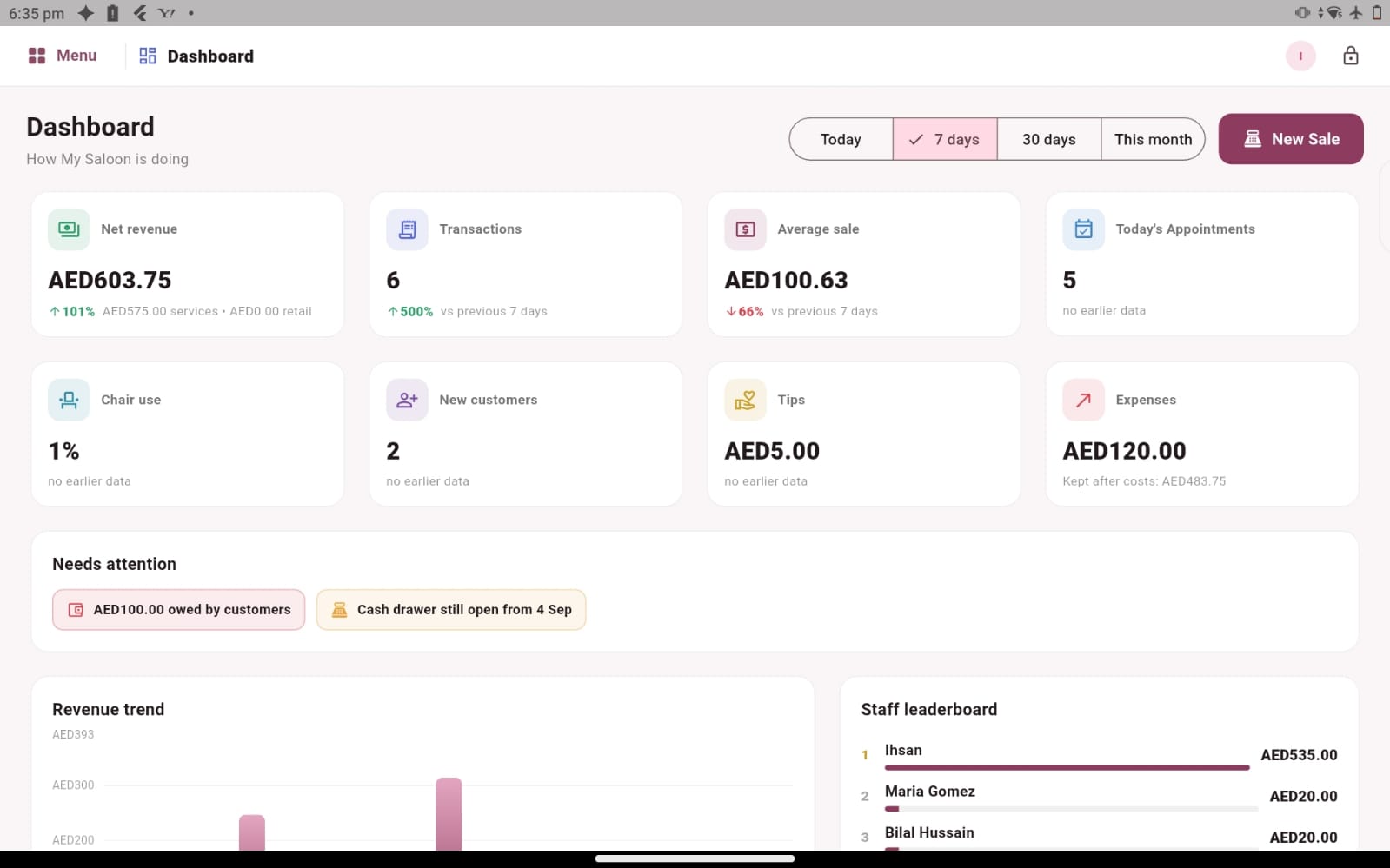
A busy salon can finish the day with many transactions and still have unanswered questions. Which period are you reviewing? What was recorded as a sale? Which expenses belong in the discussion? Salozi’s dashboard and reporting areas give you a place to explore sales, transaction summaries, revenue and expense information across selected periods, making the records easier to discuss with the people who run the business.
Start with a clear question rather than opening every report at once. A daily review may focus on completed transactions, while a longer review may look at patterns over several weeks. Choosing the question first helps you select a useful period and avoids comparing numbers that describe different parts of the business.
Make the end-of-day review a repeatable habit
Choose who reviews the day’s recorded activity and when unresolved questions are checked. Look at the transactions behind a total when something needs explanation. A clear routine helps reception and management speak about the same records, especially when several people have handled customer visits during the day.
For example, an owner may want to understand why one day’s sales look different from another. The answer might involve the mix of services, the timing of appointments or retail purchases recorded that day. Use the software to examine the relevant information, then add the operational context. A total is a starting point for investigation rather than a complete explanation on its own.
Compare periods with the right context
Comparing a full week with a few working days can create a misleading impression. Before discussing performance, check that the periods make sense and that your team understands what the displayed information covers. Salozi lets you explore selected reporting periods, so a useful demo should include changing those periods and reviewing how the records are presented.
Keep the service mix in mind as well. A week containing longer treatments may look different from one dominated by shorter appointments. Staff availability and opening hours can also affect the context. Consistent review questions make reports more useful because the team knows what it is comparing and which business circumstances need to be considered alongside the figures.
Bring reporting into your existing management routine
The ability to review and export report data can support the way you organise business records outside the salon software. During the demo, identify which information you need to pass to the person who helps you review the business, and ask to see the available export workflow and fields. A practical example will show more than a broad promise about reporting.
Explain any requirements for accounting integrations, tax documents, payment reconciliation or customised reports separately. The reporting screens demonstrate operational sales and expense information; the exact document formats and connections required by your business should be confirmed. This helps you understand where Salozi fits in your management routine and which records you will continue to review through other processes.
PRACTICAL QUESTIONS
Before you choose your software
Which report should a new salon owner start with?
Start with a question you need to answer regularly, such as reviewing the recorded transactions for a particular day. Ask to see the relevant summary and the details behind it. Once that routine is clear, explore longer reporting periods and the other information your business needs.
Can I judge business performance from a sales total alone?
A sales total describes recorded activity for a period, but it does not explain every part of the business. Review relevant expenses and operational context as well. The most useful demonstration helps you understand what each figure represents and how to find more detail when a number raises a question.
How do we make a reporting demo relevant to our owner?
Write down three questions that come up in your regular business review. For each question, identify the period and the records you would normally look at. Bring one straightforward example and one number that usually needs explanation. This helps the demo focus on finding useful information, understanding the available detail and confirming which exports fit your existing management routine.