
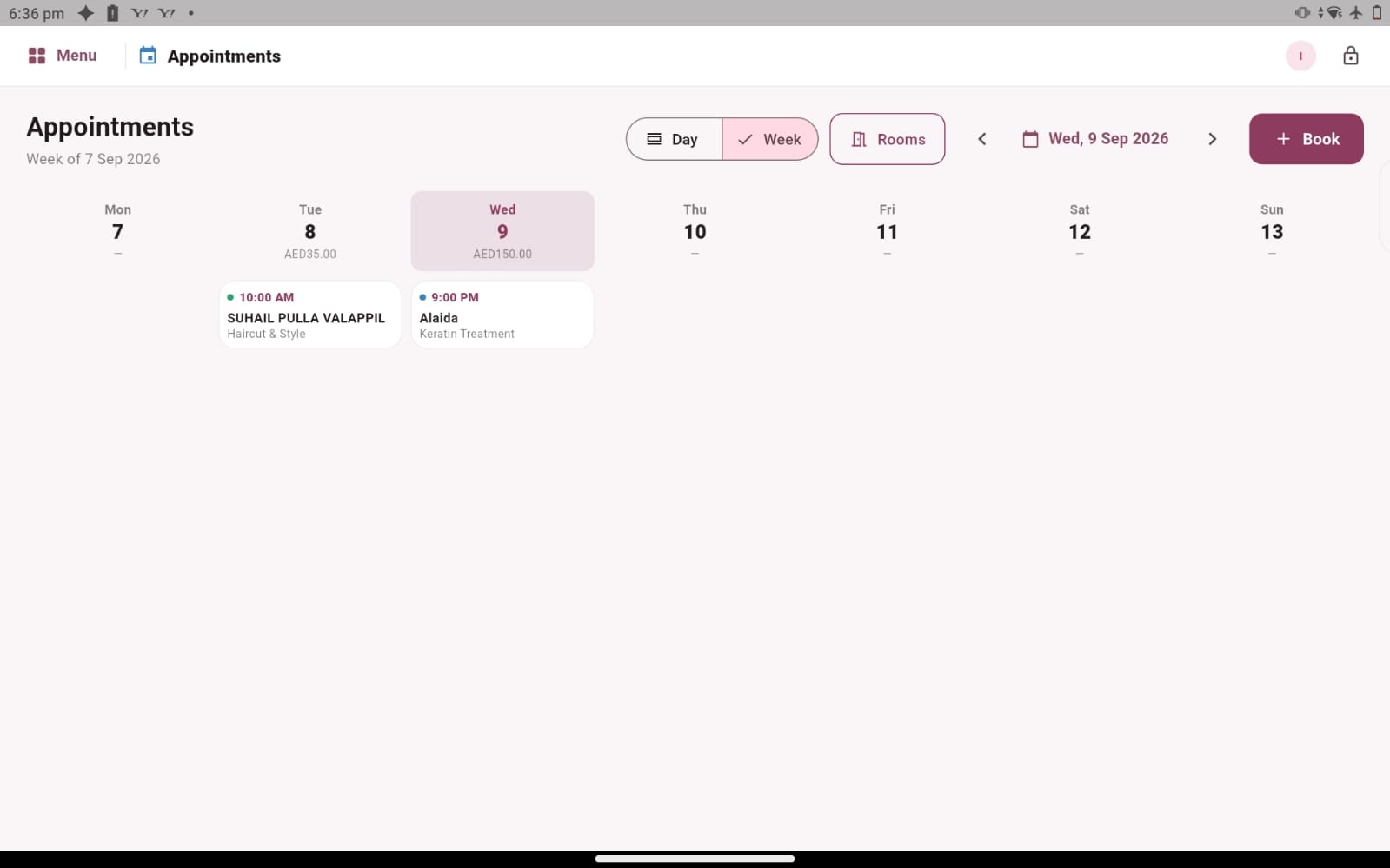
A working day that starts with a clear appointment book
A salon appointment is more than a name beside a time. It represents a service to prepare, a customer to welcome and a member of the team who needs to know what comes next. When those details are scattered between messages, paper notes and memory, even a familiar working day can become difficult to follow. Salozi brings appointment information into a shared software workflow so your team has a clearer starting point for the day.
The appointment screen gives you day and week views, booked services and appointment times. Use the daily view to understand the immediate workload, then look across the week when discussing availability with a customer. The purpose is practical: make the next conversation easier because the relevant booking details are in front of you.
Prepare for visits before the reception gets busy
Consider a hair salon with a morning cut, a longer colour appointment and several afternoon services. At opening time, the receptionist can review the appointments already recorded and speak with the team about the day ahead. Clear service names help everyone understand what the customer has booked. Reviewing the same schedule also makes it easier to spot questions that should be resolved before the customer arrives.
Good preparation still depends on your salon’s own routines. Agree who updates a booking when a customer calls, how the team communicates a change, and who checks that the revised details are correct. Software is most useful when the team knows which record to rely on. Bring an example of your current booking process to the demo so we can explore these steps together.
Keep the route from appointment to checkout understandable
The end of a visit should feel as organised as the beginning. Salozi provides a route from an appointment to checkout, allowing you to explore the handover from the booked service to the sale. During a demonstration, follow one complete visit rather than looking at the calendar in isolation. Review the service, open the checkout workflow and discuss how your team checks the final transaction.
A customer may ask for something different from the original booking. Your team should confirm what was actually provided before completing the sale. This is also a useful moment to clarify who handles changes and how staff communicate them to reception. A consistent checkout routine helps customers understand their bill and gives the business a more useful transaction record to review later.
Choose a booking routine that suits your business
A small beauty studio and a busy barbershop may both need appointment information, but they will not necessarily organise their day in the same way. One may work mainly with planned visits; another may balance appointments with walk-in customers. Start by describing your actual mix of services and how customers currently contact you. The most useful demonstration follows the way your team works, including the awkward moments that tend to create extra administration.
If your salon needs online self-booking, automated reminders, deposits or treatment-room allocation, raise those requirements during the conversation. The appointment screens shown here demonstrate the visible calendar and checkout workflow; specialist booking requirements should be confirmed for your proposed setup. This lets you evaluate the essentials carefully and make a decision based on the work your business needs to do.
PRACTICAL QUESTIONS
Before you choose your software
What should I bring to an appointment-management demo?
Bring a sample day with short and long services, a change requested by a customer and a completed visit ready for checkout. Describe who takes bookings and who receives payment. These examples make it easier to assess the workflow than a list of feature names alone.
Can appointments be reviewed with customer information?
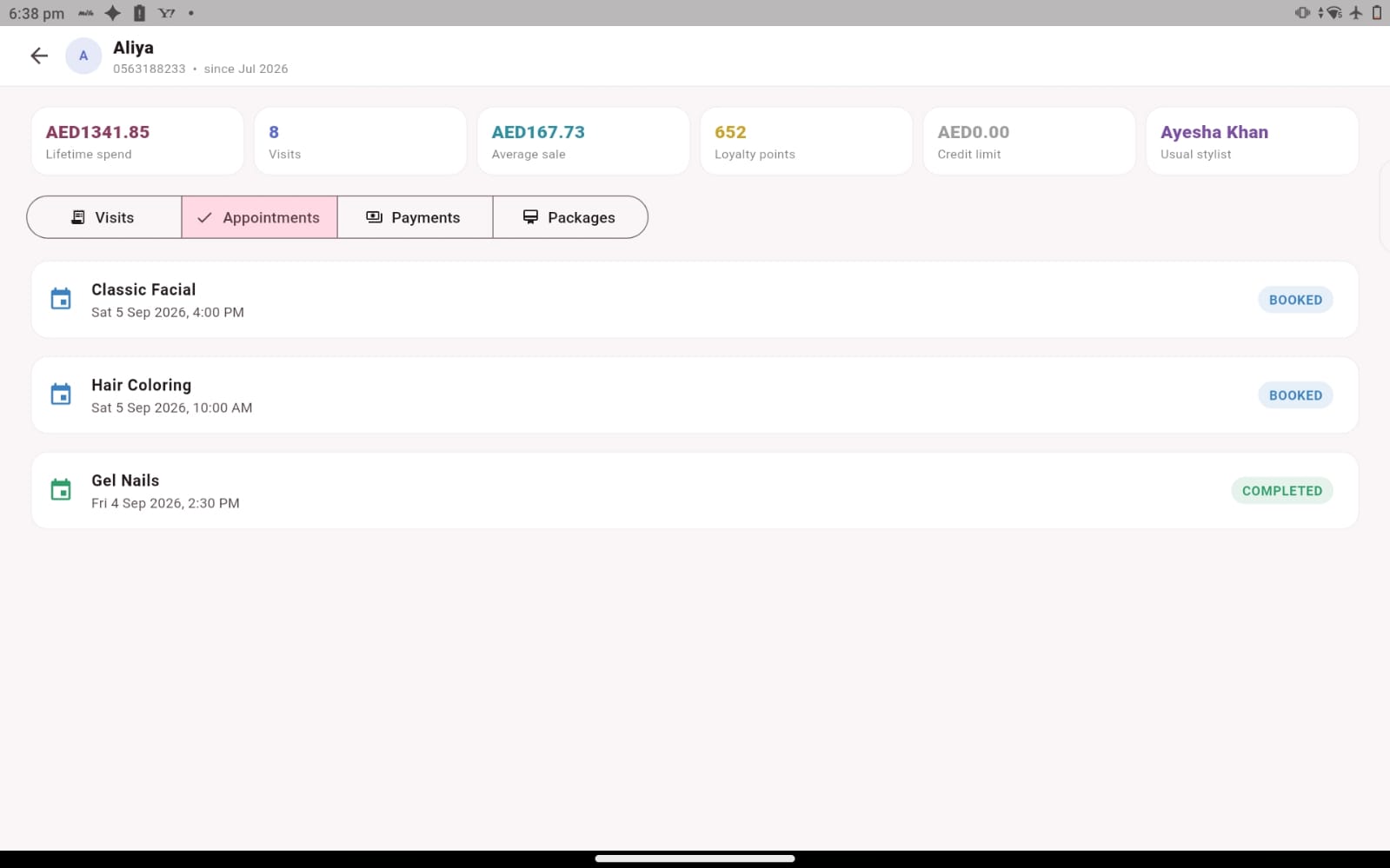
Salozi also includes customer records and appointment history. Explore both areas during the demo so you can see how your team would find the relevant customer context before a visit. Ask to follow one customer through the process and check which details are available at each stage.
How should our team review booking changes?
Choose a clear owner for updates and agree how the change reaches the person delivering the service. In the demo, use a customer who requests a different time or service, then check the information reception reviews afterwards. This practical exercise helps you identify the record your team will rely on and the communication steps that remain part of your own routine.