
Bring the retail shelf into your salon records
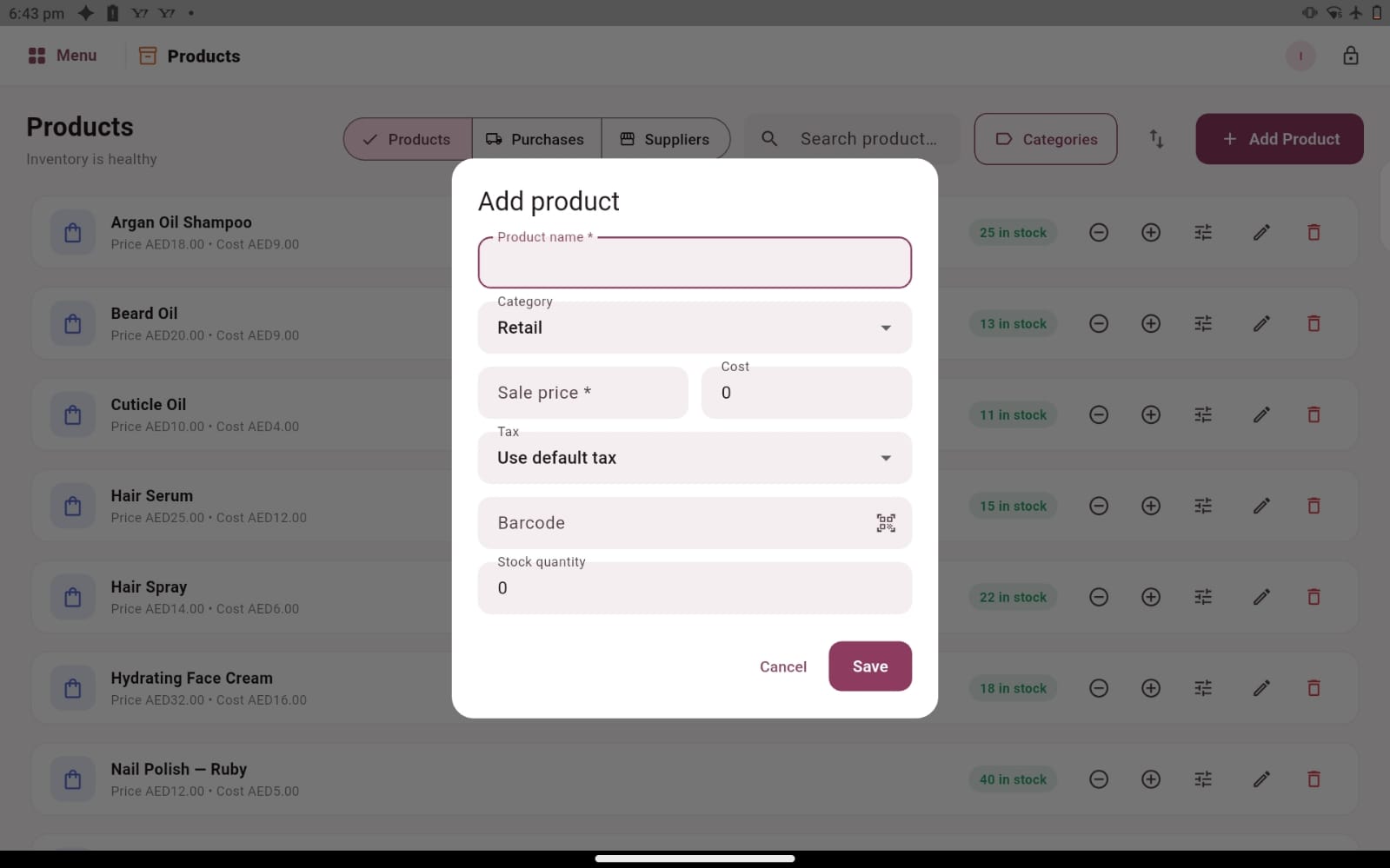
Products are part of the customer experience and part of the business behind it. A shampoo recommended after a service, a styling product sold at reception or a new delivery from a supplier all need clear records. Salozi’s product workspace brings product details, stock quantities, purchases and supplier information into a workflow your team can review alongside the rest of the salon.
A useful product record starts with consistent names and details. Record the correct item, price and barcode where applicable, and make it easy for staff to distinguish between sizes or similar products. This supports a clearer conversation at checkout and gives whoever manages stock a more dependable starting point when reviewing what the business has recorded.
Make deliveries and supplier information easier to follow
A delivery creates more work than simply placing products on a shelf. Someone needs to check what arrived, compare it with the purchase information and make sure the product records are understood. Salozi includes purchase and supplier areas that you can explore as part of the product workflow. A demonstration should follow a real example from supplier information through to the products your team expects to find.
Agree who checks quantities and who resolves a difference between the delivery and the records. Keep similar product names distinct, especially when suppliers offer several sizes or versions. A consistent receiving routine helps the team identify questions early, rather than discovering them only when a customer wants to buy an item that cannot be found.
Review recorded quantities alongside the physical shelf
The quantity shown in software is useful when it is supported by careful recording and regular physical checks. Choose a manageable routine for comparing selected products on the shelf with the recorded quantities. Start with the items your team sells most often or finds difficult to track, then investigate differences while the relevant transactions are still familiar.
Think about how your business distinguishes retail sales from products used during services. A bottle sold to a customer and a product opened for professional use represent different situations. Explain these requirements in the demo and confirm the available workflow. The screens shown here demonstrate product and stock records; automated treatment-level consumption should be discussed rather than assumed.
Use product information to support better daily decisions
Clear product records can make ordinary decisions less dependent on memory. Before discussing a purchase, review what is recorded, inspect the shelf and consider the services booked ahead. At reception, check the item and price before completing a retail sale. These small habits connect the administrative record with the way products move through your business.
If you need purchase approvals, low-stock alerts, expiry tracking, multiple storage locations or specialist supplier integrations, bring those requirements to the conversation. Ask to see the exact workflow that would apply to your setup. The right evaluation combines your everyday product routine with a careful review of the features available, so the decision reflects your salon’s real stock-management needs.
PRACTICAL QUESTIONS
Before you choose your software
Which products should we use in a stock-management demo?
Choose a frequently sold item, two products with similar names and a recent supplier purchase. Include the details your team uses to distinguish sizes and prices. These examples help you assess how easily reception and the person managing stock can find and understand the same product record.
Does a stock quantity remove the need to check the shelf?
No. Physical checks remain a useful part of a well-run product routine. Use the recorded quantity as a reference, compare it with what is actually present and investigate differences. Ask during the demonstration how the proposed setup supports the way your team records and reviews product movements.
How can we prepare product names before getting started?
Choose names that distinguish the item, size and version without relying on staff memory. Review a few similar products together and check whether a new receptionist could tell them apart. Bring those examples to the demo, along with the supplier information you use. This preparation makes the product discussion more concrete and helps you identify inconsistent records before planning your setup.